
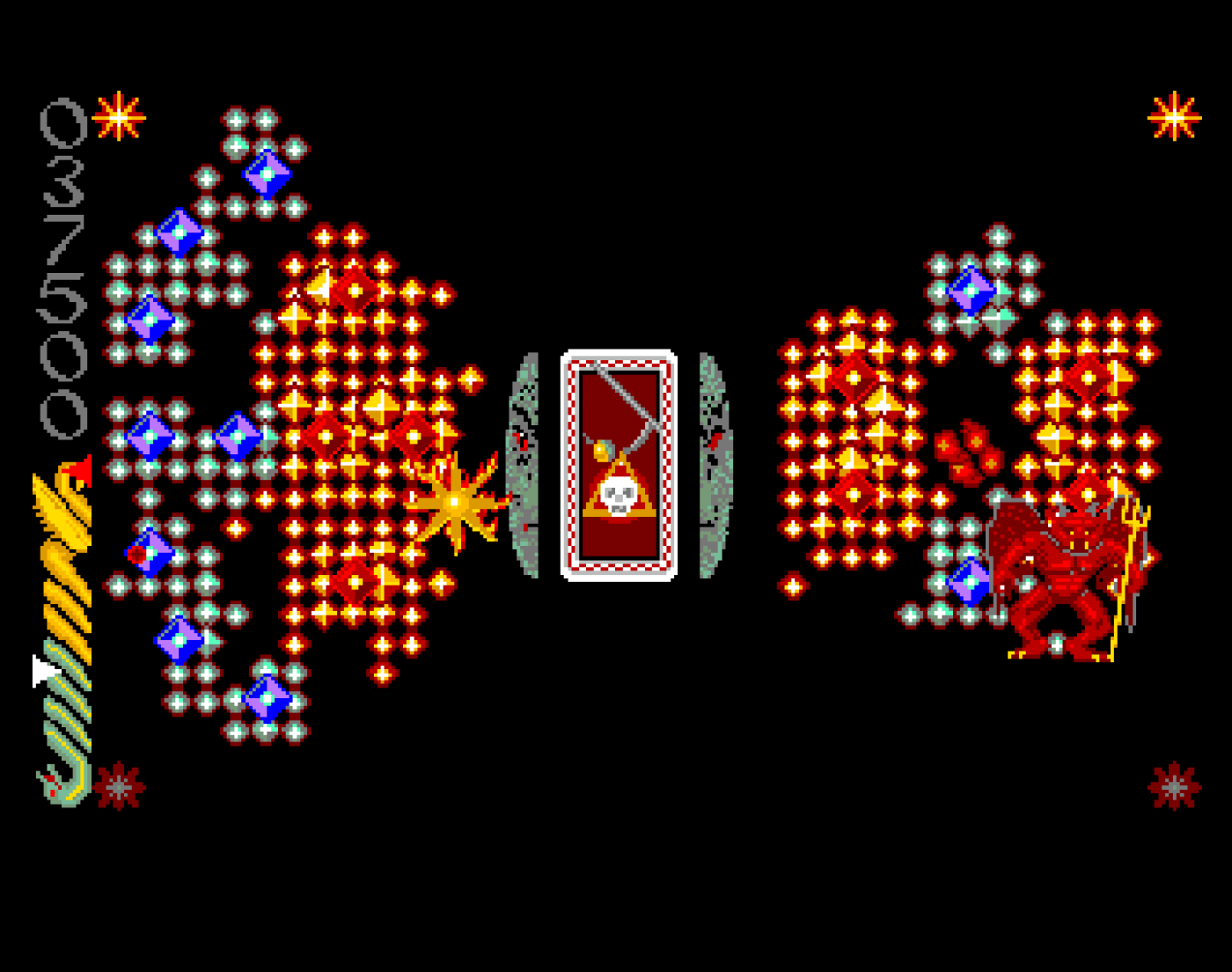
Reverse engineering an Amiga game is an exercise in peeling back layers. For my ongoing project documenting Wicked, my recent goal was to find the main gameplay loop and map out the execution order of its core systems (player movement, spore growth, guardian AI, rendering).
What started as a straightforward search for a standard game loop turned into a deep dive into Amiga hardware interrupts, orchestrating state machines, and a clever automated animation sequencer. Here is a technical breakdown of exactly how Wicked manages its execution state, and how I tracked down the true 50 FPS heartbeat of the game engine.
The Macro Loop: A Holding Pattern
Initial sweeps of the disassembly pointed towards a routine stationed at $2884C. This block of code clearly served as a state machine dispatcher. It evaluated a core variable I originally named GameControlMode (located at $5B2), checking against values like 0 (Gameplay), 5 (Hi-Score Screen), 6 (Grave Screen), and so on.
MainLoop:; Call state management subroutine JSR LAB_StateActive_2D90C ;28892; Test if game is over TST.W GameOver ;28898; If not, branch to check game mode BEQ.W LAB_CheckGameMode_288B2 ;2889e
The logic flow seemed obvious: jump into LAB_StateActive_2D90C, execute the frame logic, check if the game is over, and then bounce around the state machine based on the current mode.
But when I looked more closely at LAB_StateActive_2D90C, it didn’t contain player logic, collision detection, or pathfinding. Instead, it was an orchestration routine for non-gameplay visual effects.
If GameControlMode was set to 0 (Active Gameplay), LAB_StateActive_2D90C would immediately execute a return (RTS). It did absolutely nothing during the main game. This confirmed that the MainLoop from $28892 wasn’t driving the gameplay; it was effectively a macro wrapper, managing high-level screen transitions and waiting for the user to press the joystick fire button.
So, what was LAB_StateActive_2D90C actually doing when GameControlMode wasn’t 0? It led to a fascinating discovery regarding the game’s Title and Hi-Score screens.
TBL_33E28 and Automated Animation Sequences
When GameControlMode dictates an active non-gameplay screen (like the Hi-Score screen), LAB_StateActive_2D90C uses a variable previously assumed to be the global GameState ($446). The routine takes this value, multiplies it by 4 to create a longword offset, and uses it to pull a pointer from a jump table located at TBL_33E28.
; Load game state (1-based index) MOVE.W GameState_446,D0; Double index twice for longword offset ADD.W D0,D0 ADD.W D0,D0; Load rendering table address LEA TBL_33E28,A0; Fetch pointer (using -4 offset) MOVEA.L -4(A0,D0.W),A1; Execute rendering subroutine JSR (A1)
TBL_33E28 contains five function pointers, pointing to specific graphics and Copper list transition routines (SUB_AdjustBufferOffsets_2DB5A, LAB_RenderGraphicsType2_2DBB4, etc.). But what was pushing the values into what I thought was GameState_446?
Just above this logic, another routine iterates over a secondary array at TBL_33E3C:
TBL_GraphicsAnimSequence_33E3C: DC.L $00010003, $00020005, $00010003 DC.W $ffff
This acts as a hardcoded animation script. Treated as a sequence of words, the data reads: 1, 3, 2, 5, 1, 3, terminated by FFFF. The game extracts the next word from this script, writes it into GameState_446, and then uses the jump table to execute the corresponding visual effect. When it hits the FFFF terminator, it loops back to the start.
This system exclusively drives the spinning, day-to-night rotating Sun and Beast graphics! I’ve now renamed the variables to more accurately reflect their purpose: TBL_GraphicsAnimDispatch_33E28 for the jump table, TBL_GraphicsAnimSequence_33E3C for the script, and GraphicAnimFrameState_446 instead of the misleading GameState_446.
An interesting anomaly: State 4 ($0002d944) exists in the dispatch jump table, pointing to a routine that explicitly loads a pointer for the Tarot card graphics overlay (TarotEffectPtr_51C). However, 4 is noticeably absent from the automated 1, 3, 2, 5, 1, 3 sequence. This proves that State 4 is injected manually by the game engine when the game/timer invokes the Tarot system, bypassing the automated spinning background loop.
Finding the True “Heartbeat”: The Level 3 VBL Interrupt
With the MainLoop doing nothing but drawing menus and advancing screen frames, the actual game engine had to be operating asynchronously. In typical Amiga fashion, the heavy lifting of the active gameplay frame is chained to the hardware itself.
Checking the initialization code ($3176), the game writes $29218 into the Level 3 Autovector interrupt. On the Amiga, Level 3 handles the Vertical Blanking Interrupt (VBI or VBL)—a hardware signal fired every time the electron gun finishes drawing the screen and returns to the top-left corner. For a PAL Amiga, this guarantees a rock-solid 50Hz execution cycle (50 Frames Per Second).
Navigating to $29218, we finally found it: the game engine’s true “pulse”.
The interrupt handler begins by clearing the hardware interrupt request registers and checking GameControlMode. If the mode is 0 (indicating active gameplay), it proceeds to push the CPU registers onto the stack and dive into MainGameplayVBL_Update_292F6.
Inside the Frame: The 13 Steps of execution
MainGameplayVBL_Update_292F6 is the supervisor of Wicked. Fifty times a second, it fires off 13 distinct subroutines in a rigorously ordered sequence. By cataloging and assigning descriptive banner comments to these jumps, I’ve attempted to map the engine’s physics and logic execution order.
Here is the (current understanding – I could be wrong!!!) step-by-step lifecycle of a single gameplay frame in Wicked:
1. Level End & Timers (SUB_CheckExternalTimerOrLevelEnd_2B5E0)
Before anything moves, the engine checks overarching fail/success conditions. Has the main external timer expired? Has the player fulfilled the constellation win conditions? Decisions here can immediately halt gameplay execution and signal the macro state machine to transition screens.
2. Input Polling (SUB_HandleJoystickInput_2C194)
The engine reads the state of the joystick. Input is buffered here for use in later physics calculations.
3. Rendering Updates (SUB_RenderBitplaneData_2A446)
This kicks off the first wave of display logic. Memory pointers for the active bitplanes are updated. Because Amiga games rely on double-buffering (drawing to a hidden screen in RAM while displaying the active one), this ensures the custom chips know where the latest graphical data resides.
4. Screen Effects (SUB_UpdateScreenEffects_2CF80)
Non-entity visual updates are applied here. This includes global palette shifts for the Day/Night cycle, and managing localized colour timer ticks.
5. Ecosystem Logic (SUB_UpdateOrganicGrowth_2CE20)
This handles the intricate Spore and Portal spread mechanics that make Wicked unique. It processes the pathfinding eligibility for organic growth, expands good or evil terrain, and tracks how close either side is to overtaking the constellation.
6. Background Drawing (SUB_BulkDrawBackgroundGraphics_2C9E0)
With terrain logic updated, the engine commands the Amiga’s Blitter chip to draw the tile grid and background elements into the hidden screen buffer. Firing this early gives the Blitter time to operate in parallel with the CPU.
7. Player Weaponry (SUB_PlayerFireRoutine_2AA3A)
Calculates the trajectory and collision of the player’s active shots.
8. Enemy AI (SUB_ManageGuardianAndServantState_2A546)
This subroutine is a massive undertaking on its own (and what I’m going to try to look at next). It manages the state machine for whichever Guardian presides over the current level (spider, hand, hydra, etc.) and subsequently commands the movement patterns and AI of its associated Servants.
9. Updates (SUB_CheckAndTriggerStarMapScroll_2A0F6)
Called consecutively twice per frame, this routine evaluates the player’s position against the screen bounds and updates the scroll values for the Star Map background.
10. Player Physics (SUB_PlayerMovementAndCollision_2B640)
The engine takes the joystick input buffered in step 2 and applies it to the player’s X/Y coordinates. Afterwards, it performs bounding box checks against Guardians, Servants, and terrain. If an intersection occurs, player damage or spore collection routines are triggered.
11. Timers & Spawns (SUB_TimerEvents_2AF78)
Global ticks are calculated. This controls the spawning intervals for new Servants, dictates the precise timing of the Day/Night flip, and manages the cooldowns for spore drops.
12. Artifact Overlays (SUB_ProcessPowerCrystal_2BD58)
Processes special items like Tarot cards and Power Crystals. If a Tarot card event is invoked, it pauses the GraphicAnimFrameState_446 animation and prepares the unique overlay graphics we noticed earlier.
13. Score Management (SUB_CheckPointsToAdd_2D4C8)
Finally, any points accrued during this specific frame are converted from binary to binary-coded decimal (BCD) and blitted to the score area of the screen.
Once the score is updated, the VBL interrupt finishes. It restores the CPU registers from the stack, executes an RTE (Return from Exception) instruction, and hands control back to the idle MainLoop dispatcher until the next screen redraw triggers the process all over again.
What this design reveals
Tracing this 13-step loop exposes a core characteristic of 68000-era design: a strict separation between game logic and input/output operations.
The custom interrupt ensures the game runs at a locked framerate regardless of what the CPU is doing. By separating the drawing functions (BulkDrawBackgroundGraphics) from the logic calculations (PlayerMovementAndCollision), the developers could cleanly offload asynchronous tasks to the Amiga’s custom coprocessors. The CPU calculates where a servant should be, asks the Blitter to draw it, and immediately moves on to checking collisions while the Blitter does the heavy lifting via direct memory access in the background.
Furthermore, if the player wins a level or a demo sequence triggers, the engine doesn’t need to load a separate state codebase. The VBL interrupt simply evaluates LevelWonFlag_50A or GrowthAllowedFlag_520 and branches to a sub-loop (LAB_HandleLevelWin_2936C). This alternate path continues to execute graphics, timers, and background logic, but intentionally skips the CheckExternalTimer, PlayerFireRoutine, and ProcessPowerCrystal routines.
 The Eye Of Infinity
Leave a comment