My next idea for identifying blocks of code comes from the idea that when an event happens in the game, a sound effect is usually played – for example, when shooting, there is a “shooting” sound effect. If I can figure out the addresses of the sound effects, it might be a clue as to what piece of code is responsible for which event.
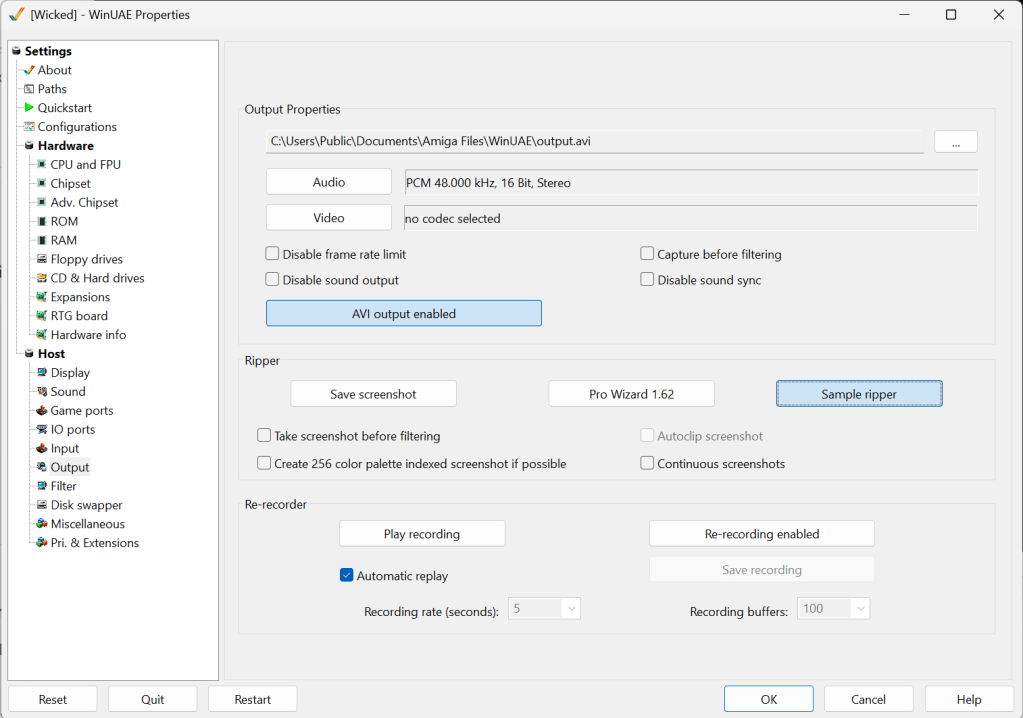
The first thing is to identify the sounds. WinUAE has a sample ripper built in under Settings –> Output (you have to enable AVI output first before the Sample ripper button becomes available to select). I am grateful to Toni Wilen who is hard at work on version 6.0.0 of WinUAE for very quickly adding in a feature request to save the sample address and length as part of the filename for the WAV file, so from 6.0.0 beta 5 onwards, WinUAE will automatically rip the samples with the information we need. Perfect! It is then just a case of listening to the sound samples and identifying what event they correspond with in the game.
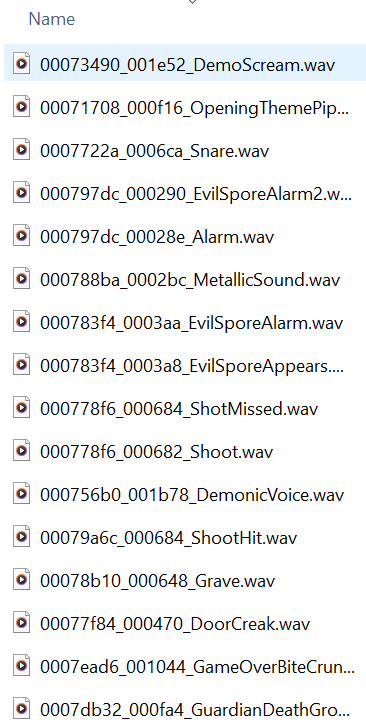
So now we have an extra piece of information for our investigations.
The Amiga’s sound hardware consists of four DMA-driven audio channels (AUD0–AUD3). To play a sound, the game needs to:
- Set the sample address (AUDxLCH / AUDxLCL)
- Set the sample length (AUDxLEN)
- Set the sample volume (AUDxVOL) (max volume is
$40) - Set the playback period (AUDxPER) (e.g.,
$0040for a reasonable pitch) - Enable the DMA for that channel via DMACON
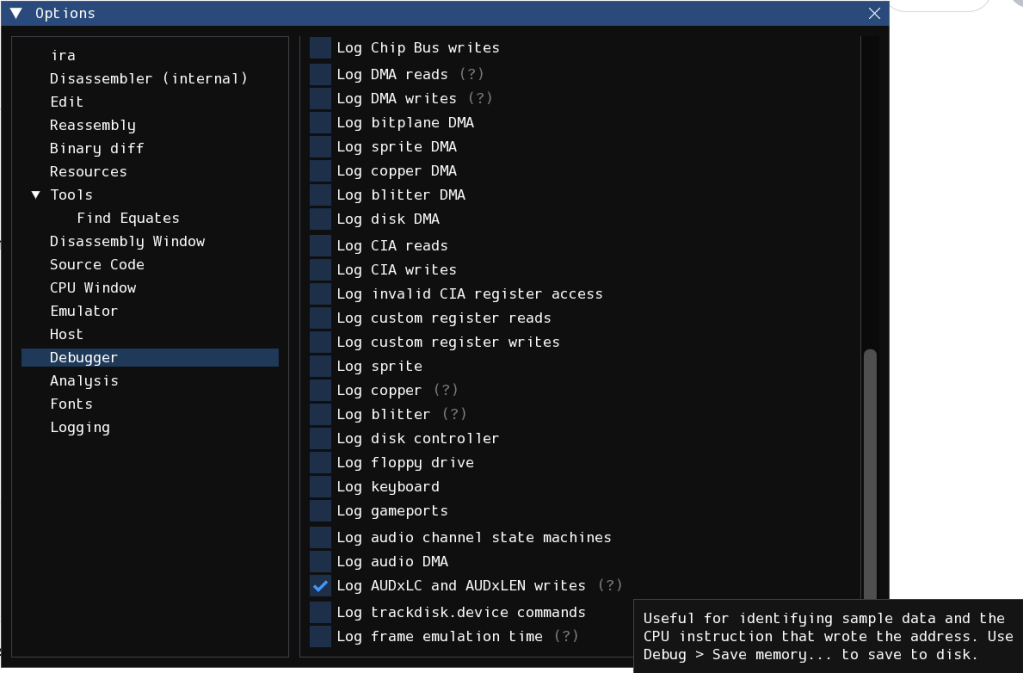
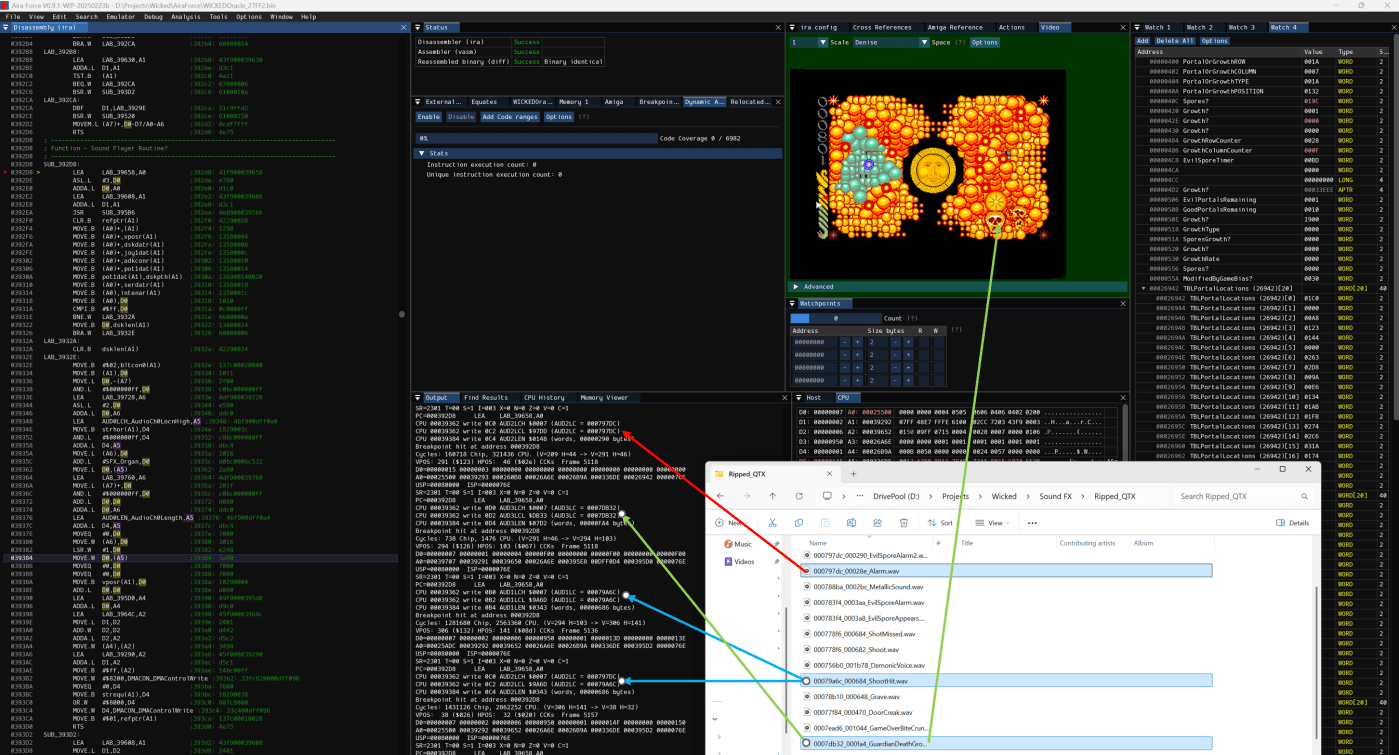
Once again, the exceptional Aira Force will come up with the goods, and I am grateful to Howard (hop) for very quickly implementing a new feature in the debugger to log all the AUDxLC and AUDxLEN writes as that will give us the CPU address of the instruction making those writes. This is a very early pre-release, so not yet available generally, but should be in the next version (0.9.1) of Aira Force.
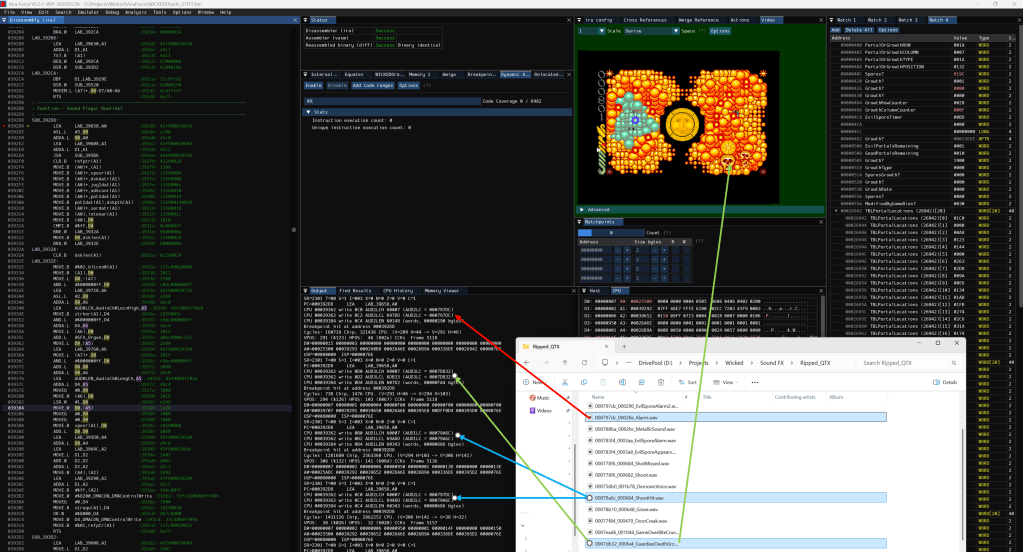
As these addresses and lengths match up with the files ripped from WinUAE, and they match with the events happening in the game (green arrows in the image above), we can see the CPU addresses that wrote that data to the audio registers. The addresses are all consistently $39362 (AUDxLCH/AUDxLCL) and $39384 (AUDxLEN), so this probably means there is one function that controls the sound effects in the game that has sample address data passed to it, rather than being called from within a ‘shooting’ function.
Function at $392D8
- The CPU writes to AUDxLCH ($DFF0A0) / AUDxLCL ($DFF0A2) → This sets the sample memory address.
- The CPU writes to AUDxLEN ($DFF0A4) → This sets the sample length in words.
- The function also enables DMA to trigger playback.
Key Instructions from the Function
Set the sample address
MOVE.L D0,(A5) ; 39362: 2a80
Here, D0 holds the sample’s memory address, and A5 points to AUDxLC. This writes the 24-bit sample address to the audio channel.
Set the sample length
MOVE.W D0,(A5) ; 39384: 3a80
This writes the length of the sample (in words) to AUDxLEN.
Enable DMA to start playback
MOVE.W #$8200,DMACON_DMAControlWrite ; 393b2: 33fc820000dff096
This writes $8200 to DMACON, which activates audio DMA and begins playback.
- Likely, A5 holds the base address of the audio registers, and D0 contains the sample address during the execution of the sound effect code.
So, I think this confirms the theory: the same function handles all sound effects, and the specific sound effect is chosen based on register values before calling it. The next steps will need to be to trace the CPU history to see what called the function, and what the values of D0 and A5 were.
 The Eye Of Infinity